
You asked ChatGPT for twenty AP Calculus BC practice problems, copied the answer, and pasted it into a Word document. On screen the equations were rendered beautifully. In the document they look like this:
1
[\lim_{x \to 2} \frac{x^2-4}{x-2}]
Not $…$, not \[ … \] — LaTeX sitting inside a bare square bracket. Conversion tools look for $…$, $$…$$, \(…\) and \[…\], so they walk straight past this.
The short version: the outer backslashes were eaten by the chat window’s own Markdown rendering, and this specific damage is recoverable — that is what bracket mode is for. In the web app it is on by default, so you can drag the file in as-is. In the Google Docs add-on it ships off, and you tick it yourself.
The longer version — why only the outer backslashes vanish, which delimiters survive intact, and how to stop it happening again — is below. But the square bracket is only one of the shapes a ChatGPT answer can arrive in, and the others are not all fixable. So first, a diagnosis.
Diagnose first: the four shapes
Open the pasted document and look at one equation. It will match one of these four rows.
| What you see in the document | Where it came from | Recoverable? | What to do |
|---|---|---|---|
[\lim_{x \to 2} \frac{x^2-4}{x-2}] — square brackets, the backslashes inside intact | \[ … \] display math; the outer backslashes were eaten by Markdown | Yes | Drop the file in as-is; bracket mode is on by default (sections 1 and 3) |
( \frac{x^2-4}{x-2} ) — round parentheses around LaTeX | \( … \) inline math; the same loss | No | Ask the chatbot again with $…$ (section 2) |
\begin{cases}ax+b & (x<1)\3 & (x=1)\x^2 … — a digit or a letter glued to a single backslash inside cases or a matrix | The \\ row separator collapsed to \ | Not automatically — the tool shows the broken pieces in red and leaves that equation as text | Put the \\ back with Edit LaTeX, or ask again (section 5-1) |
$\frac{x^2-4}{x-2}$, $$ … $$ — dollar signs intact | Dollar delimiters survive Markdown | Nothing to recover | Just convert |
Two of the four need no work, one is recovered for you, and one you have to fix by hand or re-request. The rest of this post takes the rows in that order: the bracket shape in detail, the parenthesis shape and why it is lost, then the collapsed row separator, which the earlier version of this post did not cover.
1. The symptom: a bracket pair with the backslashes missing
1-1. What went wrong
What ChatGPT actually emitted was a perfectly normal display equation. The damage happens when the answer is rendered to your screen. The delimiter’s backslashes are absorbed by the renderer; the backslashes of the commands inside survive. Copy that, paste it, and you get:
1
2
ChatGPT emitted: \[\lim_{x \to 2} \frac{x^2-4}{x-2}\]
Arrived in doc:  [\lim_{x \to 2} \frac{x^2-4}{x-2}]
\lim and \frac are intact; only the outer \[ \] became [ ]. To a human it still reads as an equation. To a parser it is an ordinary sentence with no math delimiter in it.
1-2. Why only the outer backslashes disappear
The first time you see this, the obvious question is why \frac survived and \[ did not. The answer is that the backslash was not deleted — the chat UI renders the answer as Markdown before showing it to you.
In the model’s raw text, \[ … \] is a signal meaning this span is display math. The chat window reads that signal and draws the equation. The moment it draws it, the delimiters themselves have done their job and drop out of the visual output. What you drag-select and copy is not the raw text — it is the rendered result. So the delimiter backslashes never come along, and what remains is the bracket shell plus the \lim and \frac that make up the equation itself. Inner commands leave a trace in the rendering; the outer delimiter is a signpost that gets taken down once you have arrived.
The important part is that the leftover shape differs by delimiter:
| Original delimiter | What survives the paste | Recoverable? |
|---|---|---|
$ … $ (inline) | $ … $, unchanged | No loss — detected normally |
$$ … $$ (display) | $$ … $$, unchanged | No loss — detected normally |
\[ … \] (display) | [ … ] (outer backslashes lost) | Yes — bracket mode catches it |
\( … \) (inline) | ( … ) (outer backslashes lost) | No — see below |
The dollar forms survive Markdown rendering as literal text, so they never become a problem in the first place. \[…\] is flattened to […], but the bracket shell is enough to work with. The last row is the one that hurts.
1-3. Why the inline paren form cannot be recovered
Render \(…\) and what is left is a plain parenthesis, ( … ). Parentheses are far too common in ordinary writing — the function f(x), the interval (0, 1), a remark (see above). A tool that treated parentheses as equation candidates would turn every document into a pile of false positives.
So the bracket scanner only considers candidates that open with a square bracket [. Round parentheses are deliberately left alone. The consequence is that a ( … ) descended from \(…\) cannot be brought back — there is simply no evidence left that it was ever math. That is why the table says no, and why the next section tells you to ask chatbots not to use it.
1-4. Why the standard patterns do not match
Detection is delimiter matching. $…$ looks for a pair of dollars; \[…\] looks for a pair of backslashed brackets. A bare [ … ] is neither.
But treating every square bracket as math is not an option either. Real documents are full of [note], [1], [Table 1]. A single twenty-problem answer can bring dozens of them along. What is needed is a rule that opens up brackets without touching prose.
2. Asking the chatbot differently
The most reliable fix is not a better tool — it is getting the chatbot to emit a safe format in the first place. As the table shows, the dollar forms survive the paste intact, so if the answer arrives wrapped in dollars, bracket mode never has to do anything.
Say this before you ask for the content:
Write every formula in LaTeX —
$...$for inline,$$...$$for display. Do not use\(...\)or\[...\]. Never write math as plain text.
Three things matter there:
- Standardise on
$…$and$$…$$— the only forms with no copy loss. - Ban
\(...\)— rendering turns it into( … )and it is gone for good (see 1-3).\[...\]is also best avoided, but at worst bracket mode recovers it. - Ban plain text — writing
x^2as “x squared” removes the LaTeX entirely, and then no tool can help.
If the answer contains a cases block or a matrix, glance at it before you paste: every row should end in a double backslash \\. A single backslash glued to the next row (\3, \x^2) is the third shape from the table, and it is easier to re-request than to repair — section 5-1 shows what it looks like.
One request to avoid: do not ask for a .docx file. A chatbot-generated .docx stores its equations as Word equation objects (<m:oMath>), and a tool that reads raw LaTeX text in a document cannot read those. Take the answer as text and paste it into an empty document yourself.
3. Bracket mode
If you already have an answer flattened into […], this is what it is for.
3-1. The checkbox
Open the web app and there is a checkbox under the drop zone.
“Also detect bracket [\...] equations (common in AI chatbot output)” — on by default in the web app. If you came here while cleaning up a chatbot answer, drop the file in without touching anything. Your file is read in the browser and is not uploaded to us.
Ticking it does not push $…$ or \[…\] equations aside. The dollar scan, the backslash scan and the bracket scan each run and add their results to the same detection list, so a document mixing several forms gets all of them. It is an additive mode, not a replacement. That is also why the default is on — in a document with no bracket equations, leaving it on changes nothing at all.
The Google Docs add-on has the same checkbox but ships it off, because a document you are actively writing in Docs is more likely to contain brackets that are genuinely prose.
3-2. What it looks for inside the brackets
Upload the file and the bracket equations appear in Detected Equations alongside the standard ones.
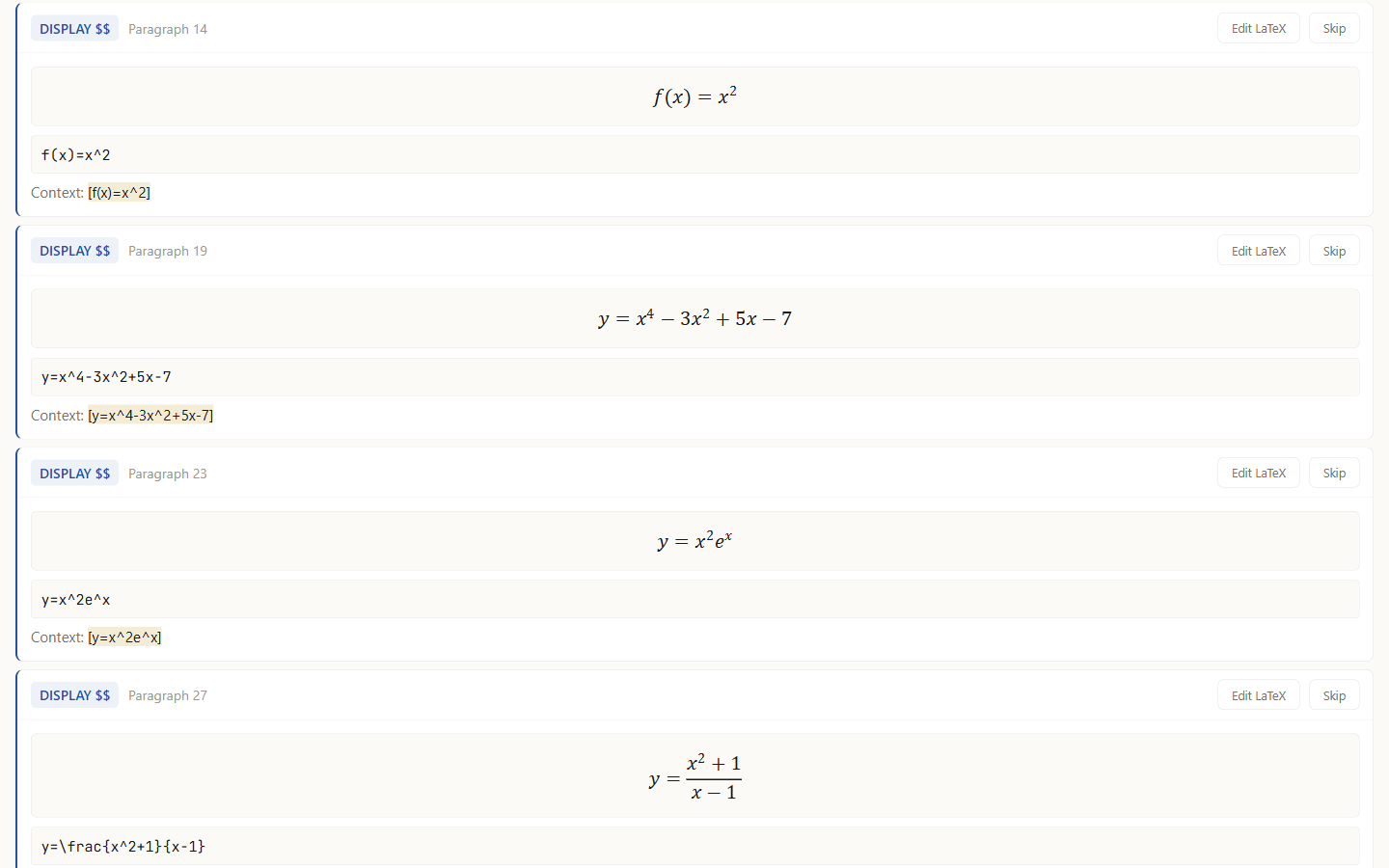
The rule is simple: a bracket counts as math only if it contains a LaTeX signature — one of \, ^, _, =. [\lim_{x \to 2} \frac{x^2-4}{x-2}] has a backslash and an underscore, so it matches. [note], [1], [Table 1] have none, so they do not. The open brackets without touching prose requirement from the previous section is satisfied by that one line.
Nesting is handled by depth counting, so [\sqrt{[a+b]}] finds its outer pair correctly, and brackets already inside a dollar span — the [X^2] in $E[X^2]$ — are not claimed twice.
Cards in the list behave exactly like standard equations: check the preview, correct it with Edit LaTeX, or drop a non-equation with Skip.
3-3. Render and export
When the review is done, press Render PNG · Export at the top.
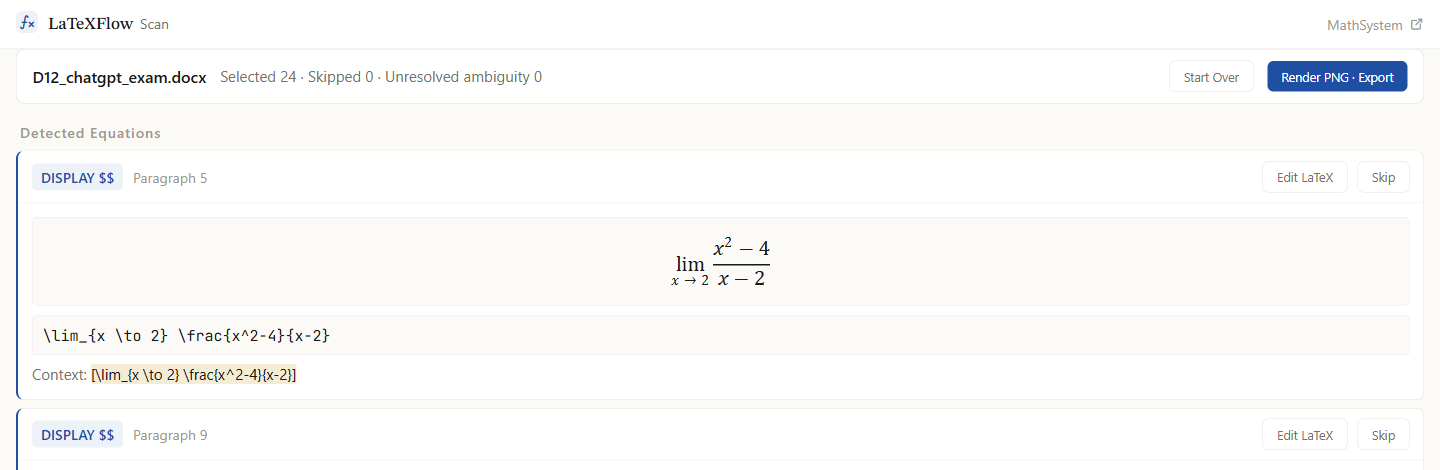
Every selected equation is rendered to PNG and placed back where it was, in a new .docx download. Body formatting is untouched and only the equation positions are replaced, so the problem numbers and section breaks the chatbot produced survive intact. Each PNG carries the original LaTeX in its alt text, so the source of an equation can be recovered later.
4. False positives
Treating brackets as equation candidates is convenient, and occasionally it catches a bracket that is not math. The signature filter removes most prose, but not all of it:
- Citation numbers —
[1]has no signature and is safe, but something like[1=main], or a bracket in a table sitting against LaTeX characters, can surface. - Interval and array notation —
[a, b]is safe, but if a^or_happens to fall inside the brackets it will match.
Since bracket detection is deliberately generous, the assumption is that you filter at the review step. Find the card that is not an equation in Detected Equations and press Skip; that position keeps its original text and is not turned into an image. That is how a misfired citation or array gets removed.
Note that one bracket case is not a false positive but a genuine double-catch: in the web app, a document containing a real \[E=mc^2\] can also have [E=mc^2\] claimed by the bracket scanner, listing the same equation twice. Skip one, or turn bracket mode off. The add-on excludes those spans and is not affected.
5. Which answers need bracket mode
Chatbot answers arrive in $…$ / $$…$$ more often than not, and those go down the standard detection path with no involvement from bracket mode at all.
Bracket mode is for the case above: the outer backslashes lost during Markdown rendering. If you can see shapes like [\frac{...}{...}] in the pasted document, that is this.
You do not have to work out which case you have in advance. In the web app both paths run at once with bracket mode already on, so whatever form the answer took, just drop the file in.
There is one shape, though, that no scanner setting helps with, because the damage is inside the equation rather than around it.
5-1. The shape bracket mode cannot fix: a collapsed double backslash in cases and matrices
This one came out of a real AP Calculus practice document during testing. The delimiters were fine — the equation sat in ordinary $…$ — but the piecewise function inside looked like this:
1
f(x)=\begin{cases}ax+b & (x<1)\3 & (x=1)\x^2 & (x>1)\end{cases}
What it should have been:
1
f(x)=\begin{cases}ax+b & (x<1)\\3 & (x=1)\\x^2 & (x>1)\end{cases}
In cases, pmatrix, bmatrix, align and every other row-based environment, the row separator is a double backslash \\. Somewhere between the chat window and the document, each pair became a single backslash, and that lone backslash then glued itself onto whatever came next: \3 and \x. Neither is a LaTeX command. The same thing happens to a matrix — 1&2\\3&4 arrives as 1&2\3&4.
The route is the same family as the bracket damage in section 1. In Markdown a backslash in front of a punctuation character is an escape, and a backslash is itself punctuation, so \\ rendered as text comes out as \. Where exactly the pair collapsed varies with the chat interface and the paste path, and this post does not claim to know it for every setup — what is measured is the arrival shape above, which is the part you can see.
Why this one is not recovered for you. In the bracket case there is evidence to act on: the bracket shell is still there, and the \frac inside proves it was math. Here the evidence is gone. \3 was probably \\3, but a tool that rewrote every unknown backslash-plus-character into a row break would be guessing, and a wrong guess produces an equation that renders cleanly and says something different — a matrix with the wrong number of rows, a piecewise function with the cases merged. A visible error is the safer outcome, so that is what happens instead:
- Detection works. The delimiters are intact, so the equation shows up in Detected Equations like any other.
- The card preview flags it. The pieces that are not commands —
\3,\x— are drawn in red, and the three rows of thecasesblock are squashed onto a single line, because there is no row separator left to break them. That preview is the signal to look for. - Export leaves it alone. When you press Render PNG · Export, that equation is not turned into a picture. It stays in the document as the original text, and the completion message adds a red line: “⚠ 2 equations failed to render and were left as original text.” No red error image goes into your
.docx.
The fix is either of two things. In the tool, press Edit LaTeX on the card and put the \\ back in front of 3 and x^2 — the preview under the text box updates as you type, the red disappears when the rows come back, and after Save the equation exports with the rest. Or, if the answer has many of them, go back to the chatbot with the request from section 2 and check the row separators before pasting the new answer. Two or three broken rows are quicker to fix in place; a whole problem set of matrices is quicker to re-request.
6. FAQ
Does it differ between chatbots? It depends on the chatbot and its settings. Any UI that renders the answer as Markdown on screen can flatten the outer delimiters. Some chatbots tend to emit display math wrapped in $$, which loses less on copy — Gemini, for instance. But that can change with version and settings, so rather than assume, check the pasted document for [\...] shapes yourself. Either way the remedy is the same.
Why can \(...\) not be saved? Rendering leaves only ( … ), and parentheses are so common in prose that treating them as candidates would produce an explosion of false positives. The scanner therefore only looks at candidates opening with [. So a ( … ) that came from \(...\) has no evidence left to act on. Ask chatbots for $...$ inline as well.
Where does the original LaTeX go? Into the alt text of each equation image in the exported .docx. Turning the equation into a picture does not throw the source away.
Can I turn bracket mode off if false positives worry me? Yes. The cost is that [\...] shapes are then not detected at all and you fix them by hand. Leaving it on and pressing Skip on the occasional bad card is usually less work. In a document with no bracket equations, leaving it on changes nothing.
Can I just ask the chatbot to produce the .docx? Not recommended. A chatbot-produced .docx puts the equations in as Word equation objects (<m:oMath>), and a tool reading raw LaTeX text in the document cannot read them. Take the answer as text and paste it into an empty document.
The equation was detected, but the preview has red pieces in it and it came back as text after export. That is the third shape from the table: a row separator \\ inside cases or a matrix collapsed to a single \. Bracket mode has nothing to do with it — the delimiters were fine, the inside was not. Section 5-1 shows the shape and the two ways to fix it.
Does it have to be Word? It has to be a .docx. Word is the usual source, but a Google Docs document downloaded as .docx, or a file saved from another editor in that format, goes through the same scan. If you would rather convert inside Google Docs without downloading anything, the add-on linked below does that.
- Not sure which delimiter to use where → the four delimiters, and which is safe where
- Nothing detected at all → detected 0 equations
- Working in Google Docs rather than a
.docx→ how to convert LaTeX in Google Docs